Configured in the EPM FastTrack workbench for Anaplan — no code required.
Everything you need to connect an SAP source to an Anaplan model is retrieved automatically the moment you connect — imports, exports, lists, processes, actions — all available inside a workbench that sits directly in SAP. Imports map to an SAP source by drag and drop. Exports match to an inbound transfer or BW data source. Processes and actions are simply called. No custom development required.
— map SAP source fields to Anaplan import fields directly in SAP.
Zero
coding required for a new import, export, process or action.
Standard
Anaplan artifacts available in F4 drop-down lists — familiar SAP tools throughout.
Preview
exactly what will transfer before any jobs run.
How it works
See how easy it is to transfer data from SAP to Anaplan.
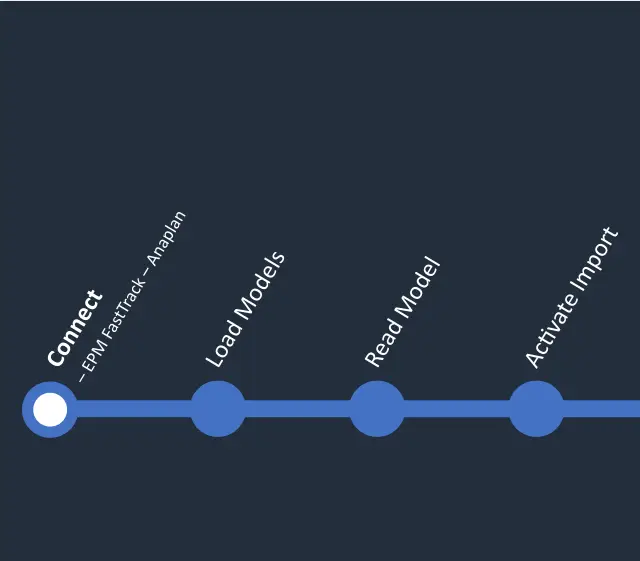
Watch the EPM FastTrack Anaplan Workbench in action. Connect. Configure. Transfer. An import, set up in minutes — three steps, three short videos.
Connect
Load Models → Activate import
Watch EPM FastTrackconnect SAP to Anaplan, retrieve a model and activate an Anaplan import ready for data transfer.
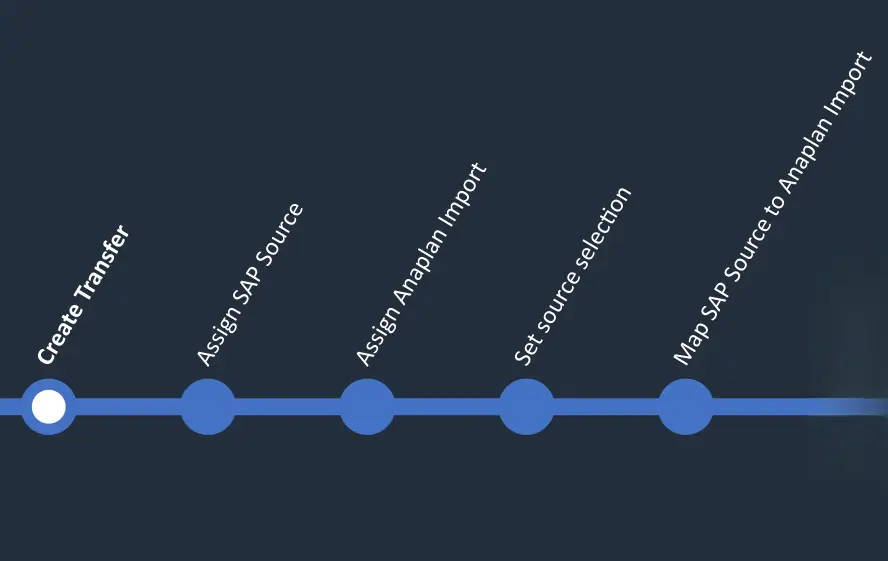
Create Transfer
Assign SAP SOURCe → MaP To Anaplan
Watch the EPM FastTrack Anaplan Workbench in action — configuring a data transfer from SAP to Anaplan with simple drag-and-drop mapping.
Preview Data
Transfer Data
See EPM FastTrack transfer data to Anaplan, with a single log capturing both what was selected in SAP and the import log returned by Anaplan — full visibility, start to finish.
How setup works
From metadata to mapping.
Once connected, every Anaplan object — imports, exports, views, actions, processes — is already sitting inside SAP, ready to configure.Here’s exactly how a transfer gets set up.
Foundation.
EPM FastTrack stays live-connected to Anaplan, so your model is always ready inside SAP — powering every dropdown, validation and mapping screen you see. Working in both systems at once? A quick refresh keeps SAP in sync.
Setting up a transfer.
Select an import — its structure is automatically available in SAP. Define an SAP data source. EPM FastTrack presents a mapping screen where SAP source fields and Anaplan import fields are displayed side by side. Drag and drop to map them. Done.
What this replaces.
No spreadsheet field mapping. No manual ETL configuration. No need to cross-reference Anaplan and SAP schemas separately. The model in SAP gives both sides of the mapping in one screen — making setup accessible to functional users, not just developers.
1
Select & load
SAP data selected and loaded into Anaplan.
Transaction and master data, and hierarchies across finance and logistics modules are pushed directly into Anaplan models — no flat files. What’s actually a multi-step sequence of Anaplan API calls — loading, running, monitoring, error handling — is strung together by EPM FastTrack into one seamless process, handling volumes of millions of records automatically. For certain sources, delta loads are supported, so only created, changed or deleted records are transferred.
Business-logic sources across FI, CO, SD, MM, PP, PS, HR, PM, BW — including derived outputs like BOM explosion, not just raw table pulls.
Any table, view, or CDS view can also be used as a source.
Preview and check data in SAP before load.
Full or delta loads.
Errors trigger an SAP workflow , with the dump file attached as an Excel workbook and routed to the assigned workflow agents.
2
Orchestrate
Anaplan actions orchestrated from SAP.
The Anaplan model metadata in SAP allowsEPM FastTrackto trigger Anaplan processes and actions automatically — running calculations, applying business rules and refreshing planning models, all from within the SAP environment. Nothing further to configure: run the program, enter the process or action, done.
Processes and actions triggered via REST API, with execution status monitored in SAP.
Calculations only fire after imports complete — sequencing controlled within the same SAP job.
Coordinated with SAP internal jobs such as backorder processing — Anaplan becomes part of the complete business process, not a separate integration.
3
Write back
Anaplan data written back into SAP.
Data can be pulled back from Anaplan into SAP from Exports and Views — directly creating objects in SAP such as Planned Independent Requirements, purchase orders, journals and more. No manual rekeying, no CSV handoffs, no external access through your firewall.
Standard inbound transfers — Planned Independent Requirements, purchase orders, accounting documents, overhead planning, etc.
Make Anaplan Exports or Views available as a BW data source for reporting pipelines.
Delivered ABAP global class making Anaplan Exports or Views available as internal tables for use in your own programs.
Preview and test-load with full messaging before committing — confirm records match between SAP and Anaplan before anything is written.
Always current
Continuous planning — throughout the period.
Because every load pulls current SAP data — not a stale extract prepared days earlier — plan vs actual comparisons, reforecasts and scenario modelling can run any day of the month, not saved up for a month-end scramble.
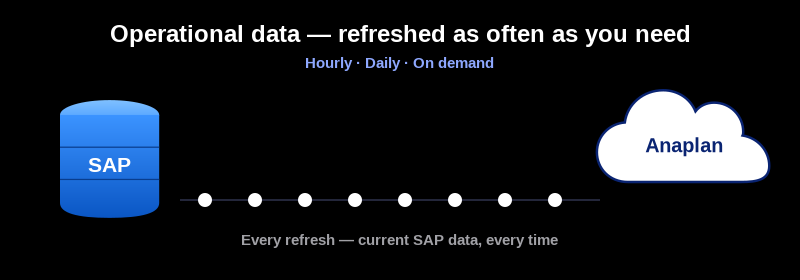
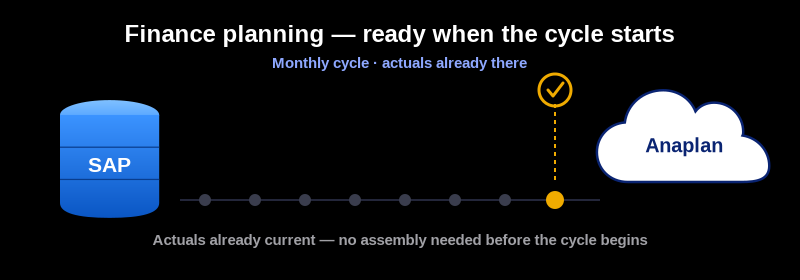
How often data moves depends on the process. Operational data can be refreshed as often as the business needs — hourly, daily, or on demand — so logistics teams are never working from stale transactions. Finance-led planning is often built around a monthly cycle — teams need the prior month’s actuals both to report on and to build the next plan from — but because loads use current SAP data directly, Anaplan can be current the moment the cycle starts. No week spent chasing down numbers before the real planning work can begin.
Technical specs
The technical details.
Quick reference for IT architects and SAP Basis teams confirming technical fit.
Installations
ABAP add-on.
Standard SAP Add-on installation tool(SAINT).
Anaplan connection
Anaplan Integration API v2.0
Bulk and Transactional APIs.
Authentication
Basic or X.509 Certificate Authentication.
Standard SAP security — STRUST.
Encryption
HTTPS / TLS 1.2+
Standard SAP security.
SAP S/4 HANA
1909 → 2025
On-premise / private cloud.
SAP ECC
6.0 EHP6+
On-premise.
SAP certification
See how EPM FastTrack could work for you.
We’ll show you a live connection between SAP and Anaplan — actuals load, master data sync, and write-back, moving data in both directions — in a single session.
We use cookies to personalise content, provide social media features, and analyse our traffic. We also share information about your use of our site with our analytics partners. You can change your preferences at any time. For more information, please see our Privacy Policy.